
Compare Two Lists: Find Matches & Differences Instantly

We’ve all had comparison lists that we’ve had to process. It sounds simple, right? But anyone who’s done it at scale—across systems, exports, or even slightly inconsistent formats—knows how tricky it can be.
Whether you’re comparing CRM exports, email lists, product inventories, or event registrations, the key is this: do it in a way that’s reliable, repeatable, and flexible enough to handle real-world messiness. That’s what this post is about.
What Do We Mean by “Comparison Lists”?
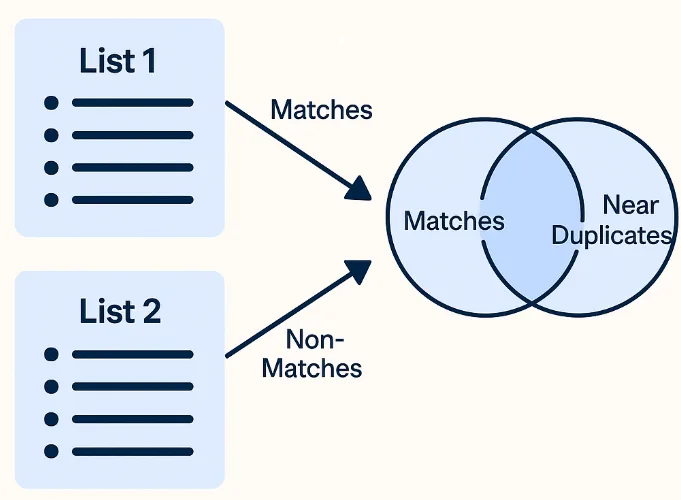
It’s when you need to line up two datasets and figure out:
Who or what appears on both lists (matches)
Who or what appears on only one (non-matches)
And sometimes: what’s almost a match (fuzzy)
People use this for:
Checking if everyone in List A is also in List B
Auditing duplicates
Identifying missed leads or unregistered users
Merging updates from one system into another
Why This Gets Complicated Fast
Here’s the issue: real data is messy. You’ll see things like:
“Jon Smith” in one list and “John Smith” in another
Different email casing (“USER@domaine.com” vs “user@domain.com“)
Extra spaces, dashes, and misspellings
Missing records that were exported at different times
Manual review? That’s fine for 50 rows. But for thousands? Forget it.
How Most People Start (and Where It Breaks)
Most people turn to Excel. Maybe you:
Use
VLOOKUPorMATCHHighlight duplicates
Copy/paste across tabs to eyeball mismatches
It works—until it doesn’t. The moment formatting shifts or you get a near-match (like “Acme Inc.” vs “ACME Incorporated”), it falls apart.
That’s where smart matching comes in.
Example Use Case
Let’s say:
List A = last month’s newsletter signups
List B = this month’s paying users
You want to know:
Who converted?
Who didn’t?
Who paid but never signed up?
You upload, set logic, review matches—and now you’ve got real answers.
Better Way for Comparison Lists
(Without Losing Your Mind)
When we built Match Data Pro, this exact challenge came up over and over: “I just need to compare two lists… but make it smart.”
Here’s what we recommend:
Step 1: Upload both lists
CSV, Excel, Google Sheets—you name it.
Step 2: Cleanse your data
Emails, names, phone numbers, addresses—whatever matters most.
Step 3: Set your match logic
Exact (e.g., email = email)
Fuzzy (e.g., name = similar name)
Multi-definition (Or statements between PII)
Multi-criteria (e.g., name + zip code)
Step 4: Review results
You’ll see:
Matched records
Similar records from List A grouped with List B
Merge data to make a Golden Record
Export everything, matches only, or deduplication


Why This Matters
Comparing lists isn’t just admin work. It feeds into:
Marketing follow-up
Sales outreach
Compliance tracking
Data cleaning before import
It’s foundational. And doing it well means fewer headaches downstream.
Final Thought for Comparison Lists
“Comparison lists” isn’t just a buzzword. It’s something every business does. The question is: are you doing it efficiently?
Manual methods are fine to start. But if you’re handling growing data or trying to build workflows you can reuse, tools like Match Data Pro are a game changer.
They take you beyond spreadsheets and into clean, smart comparisons that just work.
Want to test it for yourself? Start your first comparison project today.