

Filter keeps or removes records based on rules you define, so only the records you want move on to the next module. Use it to drop test records, keep one country or state, exclude records with blank key fields, remove records outside a date range, or split a data source into the records that meet a condition and those that don’t.
A filter works on whole records. Every rule is evaluated against each record, the rules are combined with AND or OR, and the record is kept or removed accordingly. Columns are never changed.
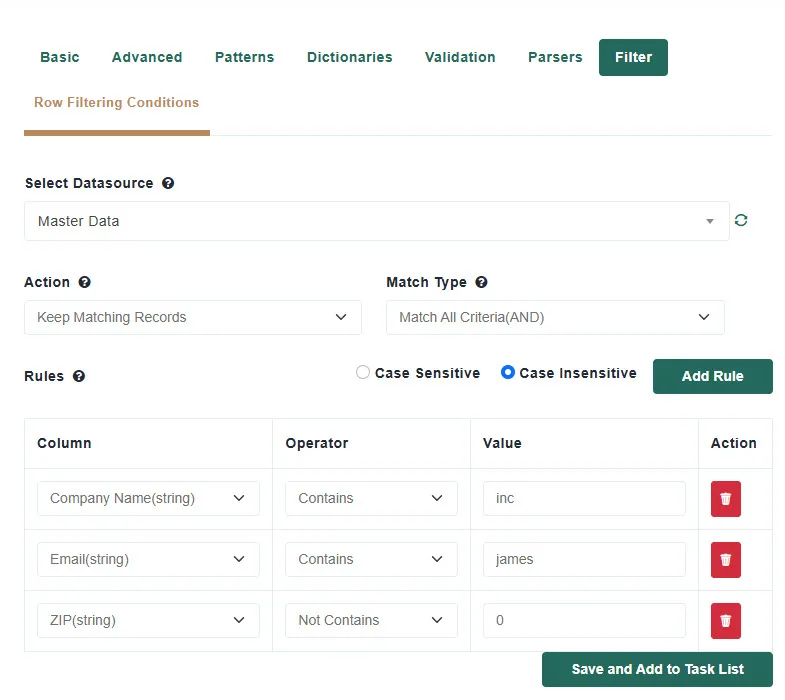
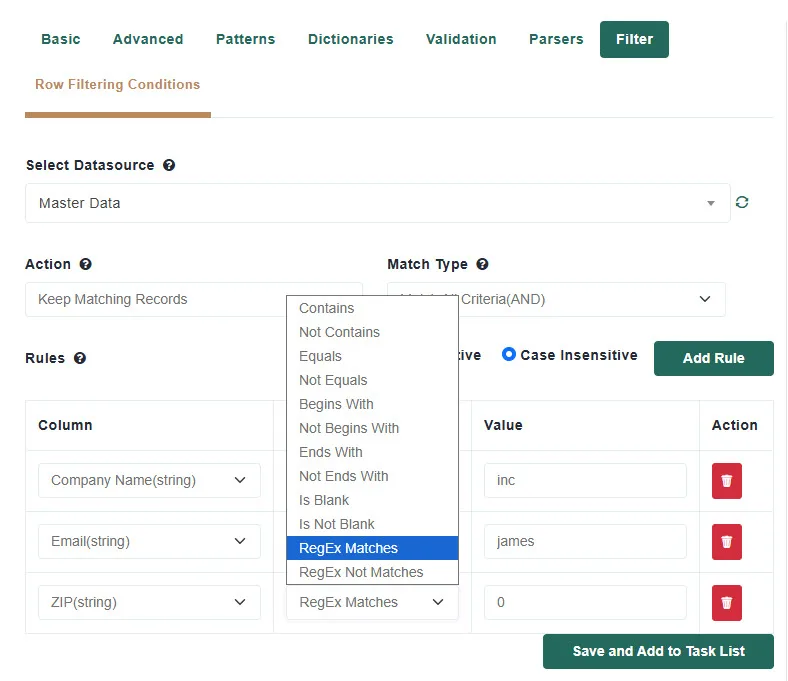
| Column type | Operators |
|---|---|
| Text | Contains, Not Contains, Equals, Not Equals, Begins With, Not Begins With, Ends With, Not Ends With, Is Blank, Is Not Blank, RegEx Matches, RegEx Not Matches |
| Number | Equals, Not Equals, Greater Than, Less Than, Greater Than or Equal To, Less Than or Equal To, Between, Not Between, Is Blank, Is Not Blank |
| Date | Before, After, Equals, Not Equals, Between, Not Between, Is Blank, Is Not Blank |
| True/False | Equals, Not Equals, Is Blank, Is Not Blank |
No. Like every cleansing task, it writes the result to the cleansed output data source. The imported original is untouched.
As many as you need. They are all combined with the Match Type you chose.
No. One filter uses one Match Type. To express A and (B or C), run two filters in sequence.
Only if you choose Case Sensitive. The default compares without regard to case.
Use the date picker; dates are compared as calendar dates, so the time of day in your data is ignored.
They are simply not included in the output. To keep them, build a second filter with the opposite Action.
At Match Data Pro, our core focus is fuzzy data matching and entity resolution but our platform goes far beyond that
Copyright 2026 Match Data Pro. All Rights Reserved