

The premise sounds simple: tell an AI agent what you want done, and it does it. In practice, “deduplicate my 2-million-row customer database using Jaro-Winkler on name fields, block on ZIP code, auto-merge above 92% confidence, and export the golden records” requires a chain of precise, ordered tool calls against a purpose-built matching engine — not an inference inside the model’s context window.
This is a technical walkthrough of exactly how that chain works using Match Data Pro’s MCP Server. Whether you are building an agentic data pipeline, evaluating the MCP standard for enterprise tooling, or just trying to understand what “AI-driven fuzzy matching” actually means under the hood — this is the detail you need.
Prerequisites: What You Need Before You Start
- An MCP-compatible client. Claude (desktop or web connector), ChatGPT with MCP enabled, Cursor, or any custom agent built on the open MCP standard.
- An MDP account. Any plan. Start a free trial if you don’t have one.
- The MDP MCP Server endpoint. Publicly hosted — point your client at it and authenticate via OAuth 2.1. No local install, no SDK.
- Your data source. A CSV, database connection, cloud file, or API — anything MDP’s import connectors support.
The Full Agent Workflow: Step by Step
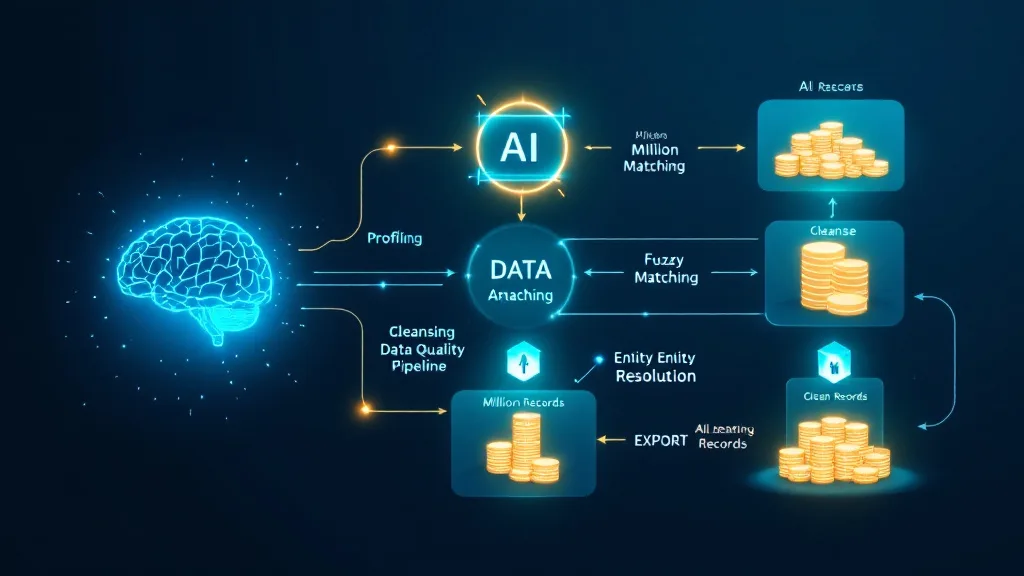
Step 1 — Create a Project
The agent’s first MCP tool call creates a new MDP project — the container for your data sources, match configurations, and job history. This is equivalent to clicking “New Project” in the MDP UI, but done programmatically in response to your plain-language instruction.
What the agent says to MDP: Create project named “Customer Deduplication — Q3 2026”, type: deduplication.
MDP returns a project ID. All subsequent tool calls reference this ID, maintaining clean state across the full workflow.
Step 2 — Configure the Data Source
The agent calls MDP’s data source configuration tool, passing your connection details — a file path, database credentials, cloud storage URI, or API endpoint. MDP ingests the data and makes it available for the pipeline without it ever passing through the LLM’s context.
This is the critical architectural point: your data goes directly to MDP, not into the model. A 2-million-row dataset stays a 2-million-row dataset — it does not get truncated to fit a context window, and it does not get sampled. The full dataset is available for matching.
Step 3 — Map Columns
The agent maps your raw column names to MDP’s standard field types: first name, last name, company name, email, phone, address line 1, city, state, ZIP, and custom fields. For well-structured data, the agent can infer mappings from column headers and a small data sample. For ambiguous schemas, it surfaces the mapping choices to you in plain language and proceeds once confirmed.
Step 4 — Run AI-Powered Data Profiling
Before any matching begins, the agent triggers MDP’s AI data profiling module. Profiling generates a statistical baseline across every column: null rates, cardinality, value distributions, format patterns, and anomaly flags.
The agent reads the profiling output and uses it to inform the match configuration — for example, if the email field has a 34% null rate, the agent will not weight it heavily in the match score, and will note this in its summary to you. This prevents the classic mistake of configuring a match job against a dataset you do not fully understand.
Typical profiling output for a 2M-row dataset:
- Email: 66% populated, 2.1% malformed format
- Phone: 81% populated, 14% inconsistent format (mixed E.164 and local)
- Company name: 94% populated, high cardinality — likely requires fuzzy grouping
- First + last name: 99% populated, 18% share a name with at least one other record
- ZIP code: 87% populated, 0.4% fail USPS format validation
Step 5 — Generate AI-Suggested Cleansing Rules
Based on the profiling output, the agent calls MDP’s cleansing rule generator, which produces a set of recommended standardisation transforms: phone number normalisation to E.164, email lowercasing and trimming, company name suffix stripping (LLC, Inc., Ltd.), date format standardisation, and ZIP code zero-padding.
The agent presents these to you, applies them on confirmation, and the cleansed dataset is now ready for matching. Cleansing is a prerequisite — two records cannot be reliably compared if one stores “United States” and the other stores “US”.
Step 6 — Build the Fuzzy Match Configuration
This is where the agent’s natural language capability does its most valuable work. You specify the matching intent in plain English. The agent translates it into a precise MDP match configuration:
Your instruction: “Match on full name and address, use Jaro-Winkler for name, block on first three digits of ZIP, auto-merge above 92%, flag for review between 75% and 92%.”
Agent’s MDP configuration:
- Field: first_name + last_name — algorithm: Jaro-Winkler — weight: 40%
- Field: address_line_1 — algorithm: token sort ratio — weight: 35%
- Field: city — algorithm: exact match — weight: 15%
- Field: email_domain — algorithm: exact match — weight: 10%
- Blocking key: ZIP3 (first 3 digits of ZIP code)
- Auto-merge threshold: ≥ 92%
- Review queue threshold: 75%–91%
- Below threshold: no match
Blocking on ZIP3 reduces the comparison space from O(n²) — 4 trillion comparisons for 2M records — to a tractable set of within-block comparisons. This is what allows fuzzy matching to scale to millions of records without combinatorial explosion.
Step 7 — Execute the Batch Match Job
The agent submits the match job to MDP’s engine and polls for completion. For a 2M-row dataset with ZIP3 blocking, typical runtime is 20–45 minutes depending on data distribution within blocks. The agent monitors status and notifies you when the job completes — or handles errors and retries according to your preferences.
During this step, the LLM is idle. MDP’s deterministic engine is running the comparisons — not the model. This is what preserves accuracy and throughput at scale.
Step 8 — Page Through Match Results
When the job completes, the agent calls MDP’s result pagination tools to retrieve match output in structured batches. It reads confidence scores, match pair IDs, and field-level match breakdowns. It can summarise the results in plain language: “47,000 pairs above 92% — auto-merged. 31,000 pairs between 75% and 92% — queued for review. 1,921,000 records confirmed unique.”
Step 9 — Apply Survivorship Rules and Produce Golden Records
For auto-merged pairs, the agent applies survivorship rules to determine which field values survive into the golden record. Standard rules:
- Most recently updated field wins
- Most complete record wins (fewest nulls)
- Source system priority (CRM overrides flat file import)
- Custom field-level overrides
The agent configures these rules via MDP’s survivorship tool and triggers golden record production. The result is a single authoritative record for each resolved entity — the foundation of a clean, merged dataset.
Step 10 — Export
The agent calls MDP’s export tool, pushing the golden record set to your destination: Salesforce, HubSpot, a SQL database, a cloud storage bucket, or a flat file. The export connectors support the same destinations as the import connectors — clean data goes back where it came from.
What the Agent Cannot Do — and Why That Is a Feature
The MDP MCP Server is deliberately scoped. The agent can orchestrate the full data quality pipeline. It cannot modify MDP’s core matching algorithms, override data governance controls, or bypass the review queue for uncertain matches. These constraints are intentional — they are what make the system auditable and trustworthy in enterprise environments.
The review queue in particular is a critical design choice. Matches between 75% and 92% confidence represent genuine ambiguity — cases where two records might or might not be the same entity, and where the cost of an error (merging two distinct customers, or failing to merge a duplicate account) exceeds the cost of human review. The agent surfaces these cases; a human resolves them. This is not a limitation of the architecture — it is the correct division of labour.
Entity Resolution for Cross-Source Matching
The workflow above covers single-source deduplication — finding duplicates within one dataset. For cross-source entity resolution — where the same company appears in a CRM, an ERP, a billing system, and an external enrichment feed under four different names — the agent can invoke MDP’s Senzing entity resolution module instead of or in addition to the standard fuzzy match engine.
Senzing uses graph-based probabilistic resolution to handle multi-source, multi-entity identity reconciliation at scale. The agent’s workflow is the same — the tool calls are different. The MCP Server exposes both engines through the same interface, so the agent can select the appropriate approach based on your data structure and resolution requirements.
Performance at Scale: What to Expect
| Dataset Size | Blocking Strategy | Typical Match Job Runtime |
|---|---|---|
| 100,000 records | ZIP3 blocking | 2–5 minutes |
| 500,000 records | ZIP3 + surname initial | 8–15 minutes |
| 2,000,000 records | ZIP3 blocking | 20–45 minutes |
| 10,000,000 records | Multi-key blocking | 60–120 minutes |
Runtimes vary based on data distribution within blocks, the number of fields being compared, and the algorithms selected. The agent monitors job status throughout and provides an estimated completion time based on initial progress metrics.
Why This Changes Agentic Data Pipelines
Until now, an AI agent asked to “clean the customer database” had two options: attempt to do it inside the model’s context (inaccurate, unscalable, unauditable) or hand off to a human who would run a separate tool (breaking the agentic workflow entirely).
The MDP MCP Server creates a third option: the agent hands off to a purpose-built engine via a standardised protocol, monitors execution, and resumes orchestration when the job completes. The human never leaves the conversation. The workflow never breaks. The matching is done by an engine with a documented algorithm, configurable thresholds, and an auditable result log.
This is what “AI-powered data quality” should mean — not LLM inference on data records, but LLM orchestration of deterministic data quality tools.
Get Started
The MDP MCP Server is live now — publicly hosted, OAuth 2.1 authenticated, compatible with Claude, ChatGPT, Cursor, and any custom MCP agent.
- MCP Server product page — full technical specs and all 54 tools
- Start your free trial — no contract, no commitment
- Book a demo — walk through the agent workflow with your own data
Related reading:
Why LLMs Couldn’t Fuzzy Match at Scale — Until Now |
AI Data Matching Software |
Senzing Entity Resolution