
Deploy Match Data Pro securely on your own Linux based server. This step-by-step guide shows you how to set up the On-Prem version via the standard CLI interface.
Whether you’re a system admin, analyst, or data engineer, this guide ensures a smooth install with full control over your data.
 Prerequisites
Before installing Match Data Pro, please ensure the following:
 Debian 11 or Ubuntu 22.04 LTS (Ubuntu Recomended)
- Minimun requirements: 4vCPU – 16 GB RAM – 100 GB Disk. Recommended: 16vCPU – 64 GB RAM – 200 GB SSD/M.2 Disk. This can vary based on your project/data size. Please consult us if you need clarifiction.
- Root or sudo access to install applications
- Internet access (for activation and package download)
- Enable firewall INGRESS traffic on ports TCP 8080 and 8085. EGRESS trafiic should be without limitations.
- Network access to provide external access to the MDP App
1. Access the Linux CLI through SSH to Install MDP
We recommend installing Match Data Pro on Ubuntu 22.04 LTS
- Add the auth.json key to the /home/ directory.
sudo mv auth.json /home/
- Download the Match Data Pro On-Prem Package and begin install
curl -s https://storage.googleapis.com/p0-mdp-public/standardInstallMDP -o installMDP && sudo chmod +x installMDP && sudo ./installMDP- This will take several minutes, now is a good time to stretch your legs and not look at a screen for 5 min 🙂
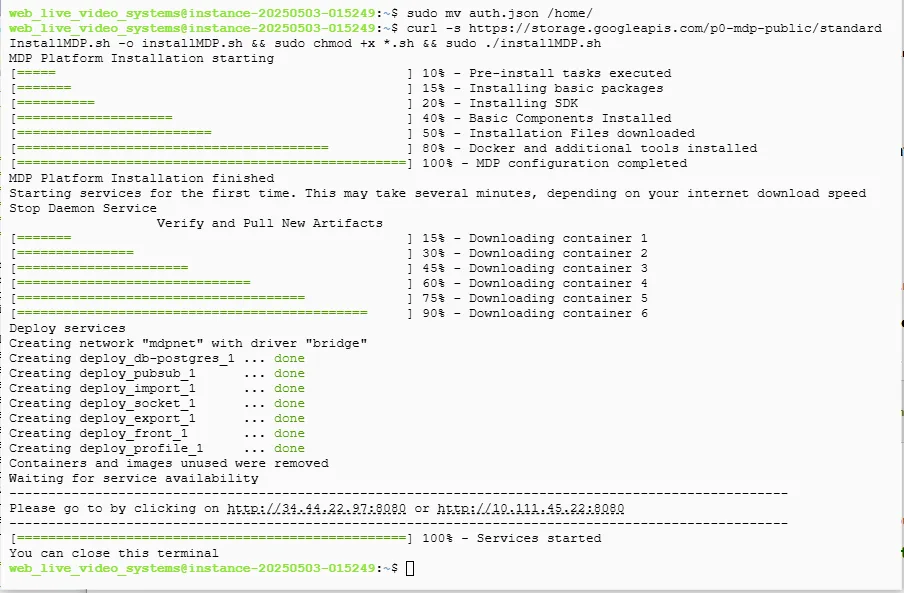
- You will know that the process has finished when you see this message:
- [……..100%] Services available.
2. Access MDP and Create a New Account
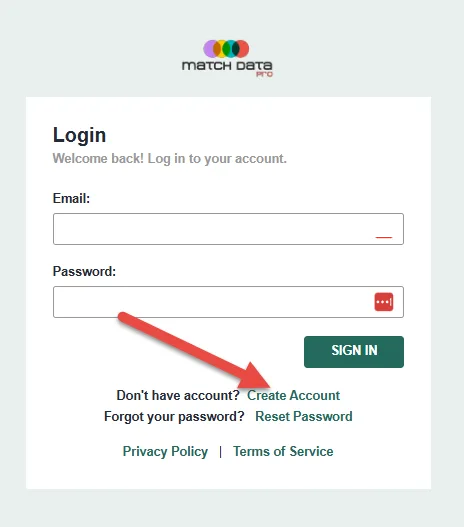
- To access the MDP platform, click on the link provided at the end of the installation or go to:
http://local-private-IP:8080 and/or http://external-wan-IP:8080 and register for a new account. - To get started click the Create Account link.

- To access the MDP platform, click on the link provided at the end of the installation or go to:
3. Activate A License
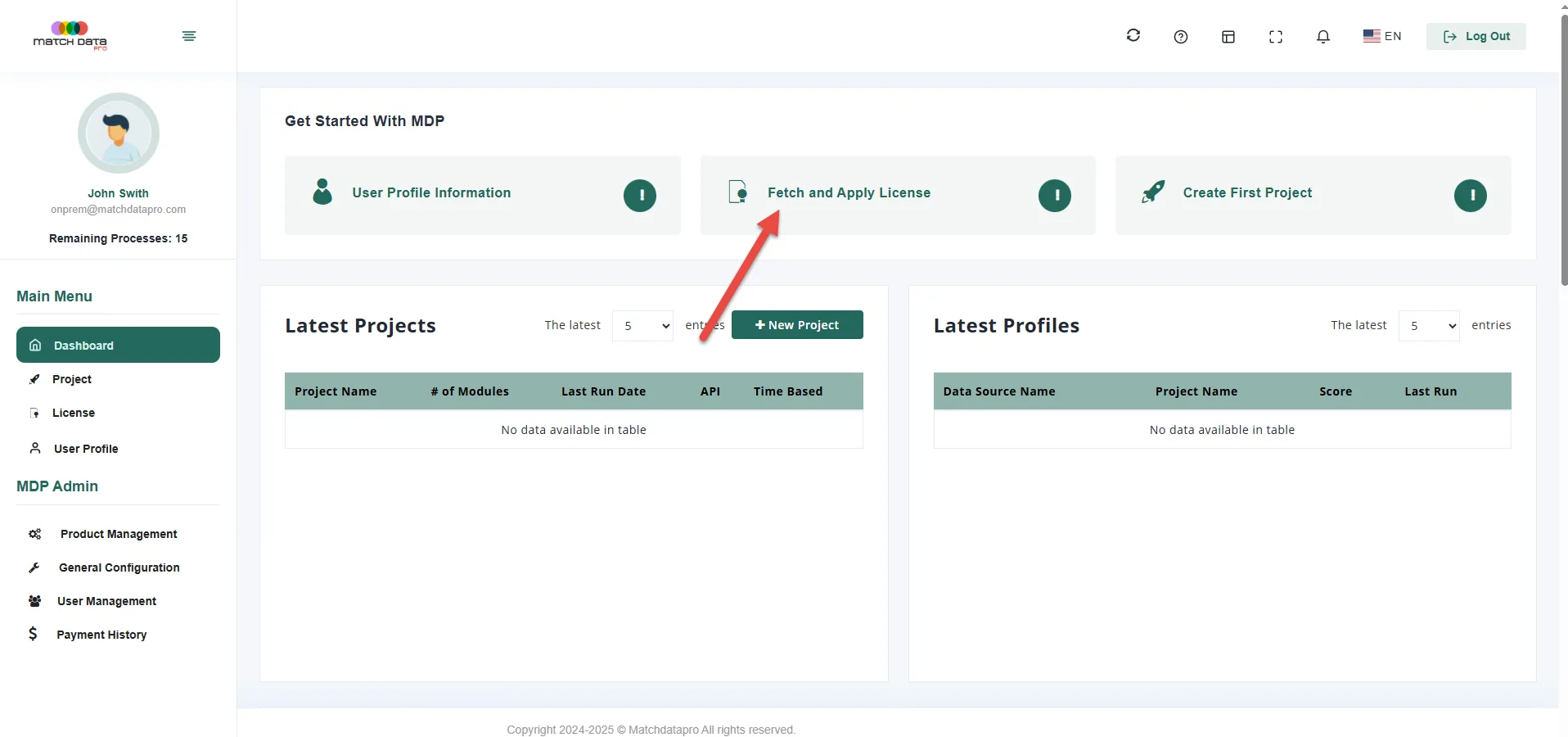
- Once you register and are logged in, simple click the Fetch and Apply License link to activate your license
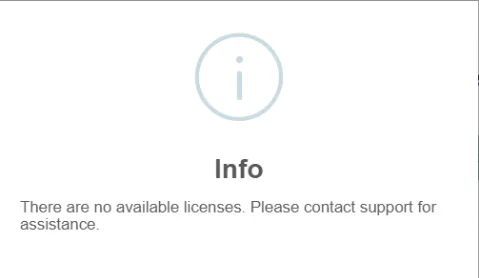
- If you receive an error when fetching a license, please contact sales@matchdatapro.com for assistance.
Once you have a license applied you may begin to use the tool.
Final Tips
 Need Help?
 Need Help?
 Support:
Congratulations — with Match Data Pro, you’re not just managing data, you’re mastering it
- You’re Ready to Go
- With Match Data Pro running on your own infrastructure, you’re now ready to:
Profile and cleanse your data
Define reusable cleansing rules
Fuzzy match and deduplicate records
Automate batch jobs in a secure, on-premise setup