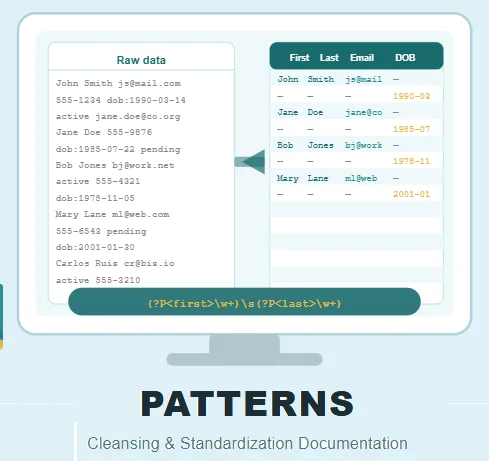
The Patterns feature in Match Data Pro’s Cleansing & Standardization module allows you to detect, extract, and parse structured data hidden inside unstructured text fields. Built on the backbone of regular expressions (regex), it gives you a powerful way to turn messy, unusable data into clean, structured columns ready for matching and analysis.
Whether your data contains names, email addresses, phone numbers, dates, or status values buried in free-form text, Patterns can isolate and extract each one into its own dedicated column. It is one of the most powerful tools available when working with low-quality or unstructured source data.
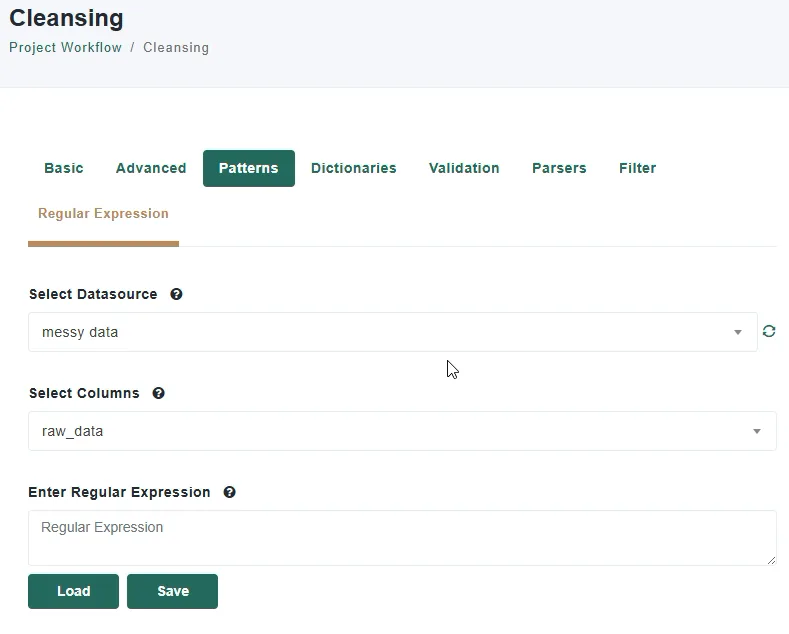
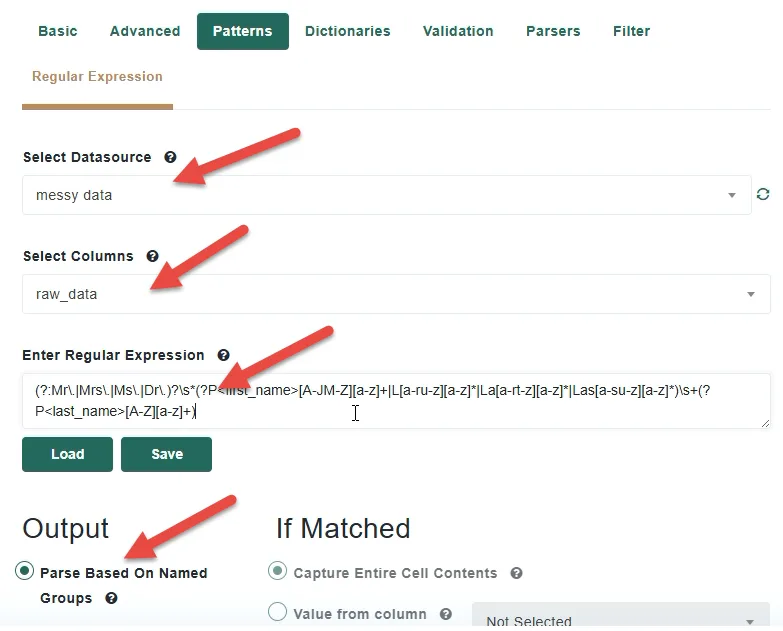
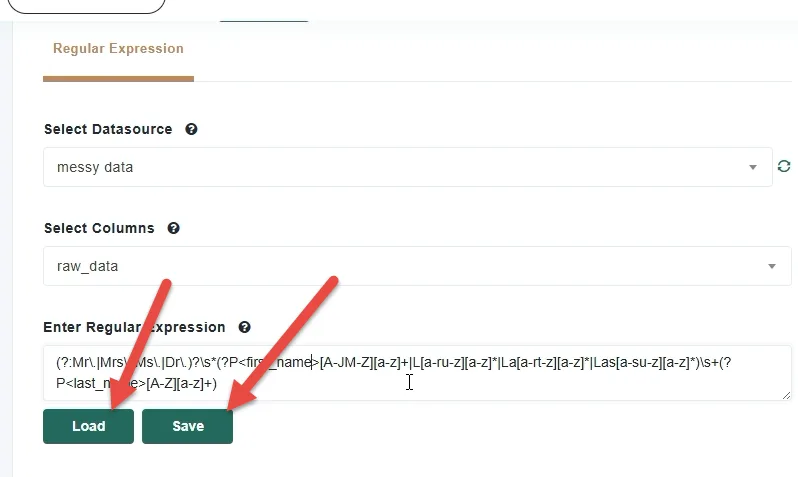
The primary and most powerful output option in Patterns is parsing based on named groups. Named groups are defined inside your regular expression and tell Match Data Pro exactly which parts of the matched text to extract and the name of the new column to create.
For simple extractions like an email address, one named group is sufficient. For multi-value fields like a full name, you will need one named group per component — for example, separate groups for first name and last name. When you run the rule, each named group is automatically output into its own dedicated column in your dataset.
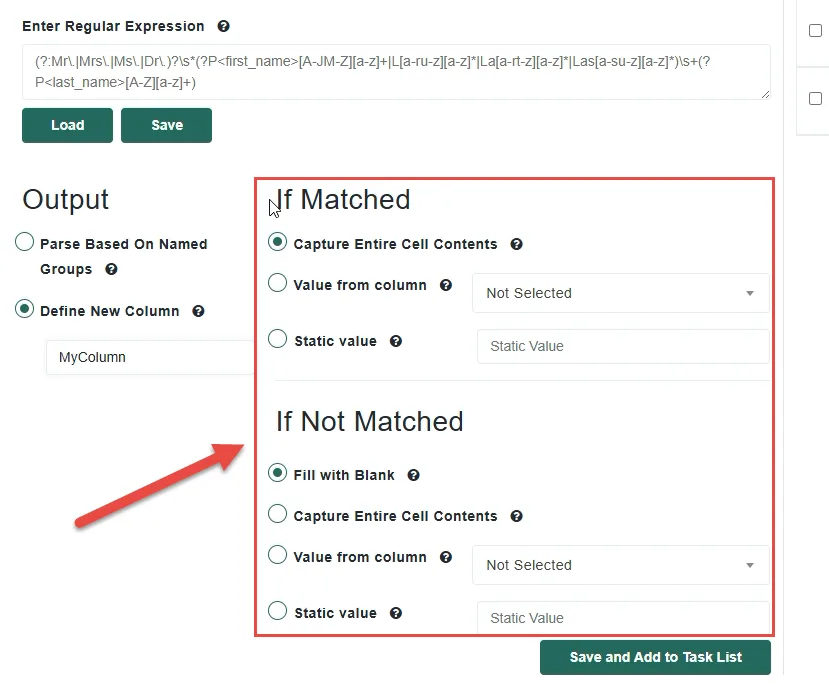
Beyond named group extraction, Patterns also allows you to create a new output column driven by whether the pattern matched or not. If the pattern detects a match in the field, you can choose to capture the entire cell contents, pull a value from another column, or define a static value such as “True.” For records where no match is found, you have the same options — leave the field blank, capture the cell, reference another column, or set a static value. This approach is particularly useful for creating flag columns that mark whether a specific pattern was present in a record.
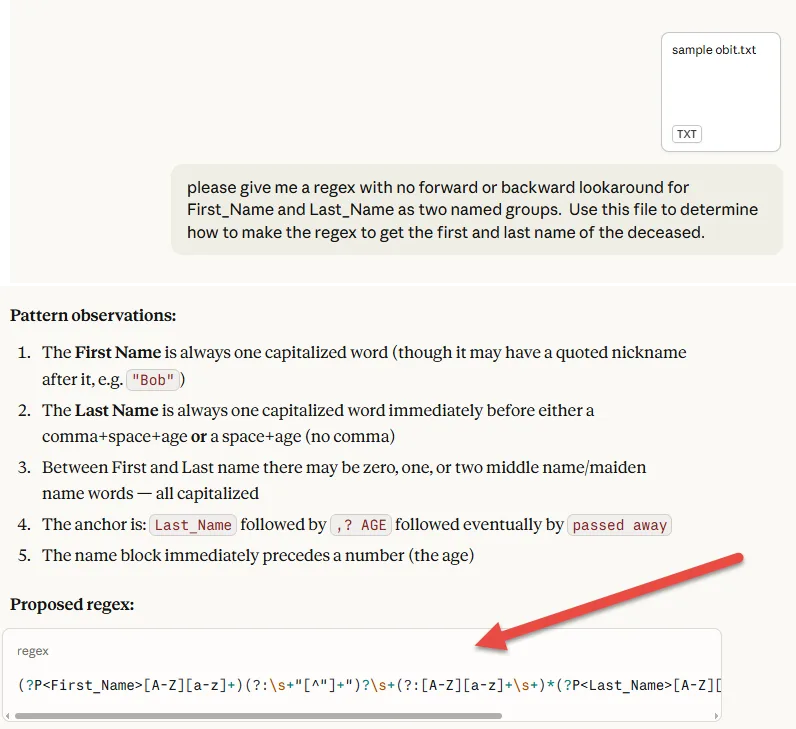
Not necessarily. While a basic understanding of regex is helpful, you can use an AI tool to generate your regular expression by simply providing a small sample of your unstructured data. Just make sure to ask it to include named groups for each value you want to extract, and Match Data Pro will handle the rest.
A Named groups are defined inside your regular expression and automatically extract specific values into their own dedicated columns when a match is found. Creating a new column, on the other hand, gives you control over what value is placed in that column based on whether the pattern matched or not — making it ideal for flagging or tagging records rather than extracting structured values.
Yes. By defining multiple named groups within a single regular expression, you can extract several values from the same field in one pass. For example, a single pattern rule can simultaneously extract first name, last name, email address, and date of birth from the same unstructured text column.
Yes. Match Data Pro includes a Save and Load option within the Patterns feature that allows you to store any pattern you build and apply it to other projects or data sources in the future. Building a library of saved patterns for common formats like emails, phone numbers, and dates is a great way to speed up your cleansing workflow.
No. When you run your pattern rules, Match Data Pro processes them in the background, allowing you to continue working on other tasks while the cleansing operation completes. You can check back on the results once the process has finished without any interruption to your workflow.
Para comenzar, haga clic en el botón Nuevo proyecto desde el panel de control.
En Match Data Pro, nuestro enfoque principal es la coincidencia de datos difusos y la resolución de entidades, pero nuestra plataforma va mucho más allá de eso.
Copyright 2026 Match Data Pro. All Rights Reserved