
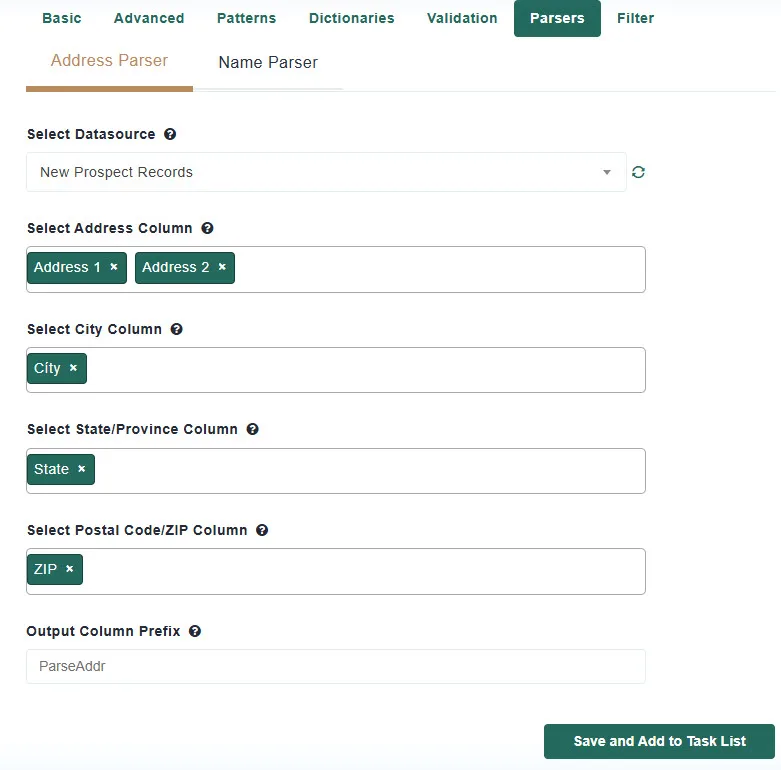
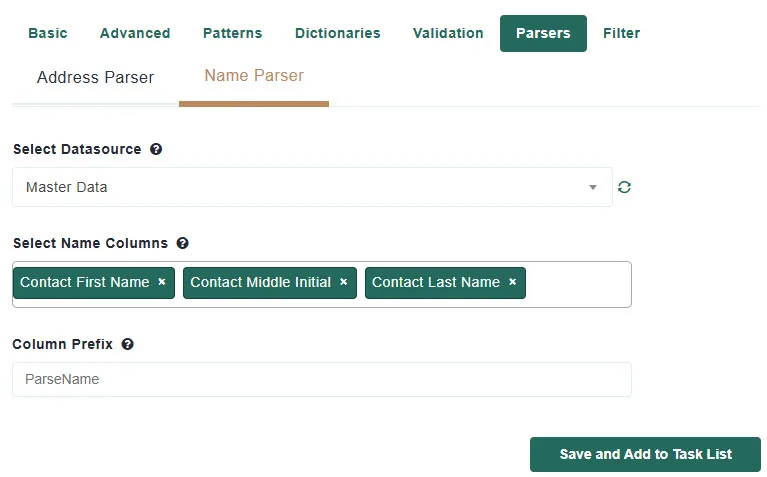
Parsers split a single free-text field into its parts. The Parsers tab has two parsers:
Parsed columns are exactly what fuzzy matching and deduplication need: matching on a clean street name and house number is far more reliable than matching on a whole address line. Both parsers leave your original columns unchanged and add new columns with a prefix you choose.
Behind the scenes the parser joins the selected columns into one address, identifies each component, and then cleans it up:
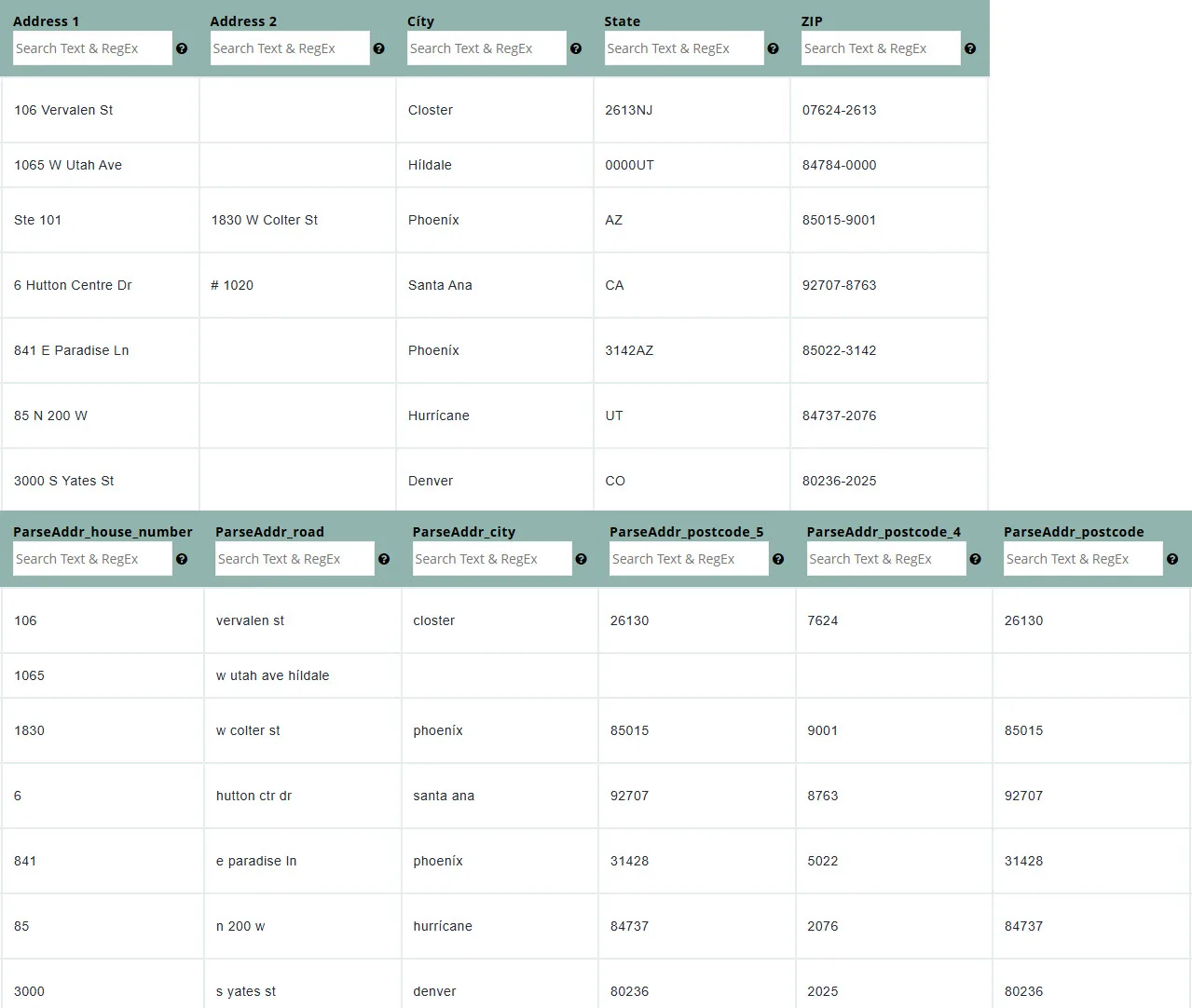
Parsed values are written in lower case, which makes them ideal for matching.
With the prefix ParseAddr, the new columns are:
| Column | Contents |
|---|---|
| ParseAddr_house_number | The building number, e.g. 805 |
| ParseAddr_road | The full standardized street, e.g. veterans blvd |
| ParseAddr_road_pre_direction | Direction before the street name, e.g. n |
| ParseAddr_road_name | The street name only |
| ParseAddr_road_suffix | The standardized street type, e.g. blvd |
| ParseAddr_road_post_direction | Direction after the street name, e.g. sw |
| ParseAddr_unit | The unit designator and number as written, e.g. ste 320 |
| ParseAddr_unit_number | The unit number only, e.g. 320 |
| ParseAddr_po_box | PO Box number when the address is a PO Box |
| ParseAddr_city | Ciudad |
| ParseAddr_suburb | Neighborhood or district, where present |
| ParseAddr_state | 2-letter state or province code |
| ParseAddr_postcode | The 5-digit ZIP or postal code |
| ParseAddr_postcode_5 | The 5-digit ZIP |
| ParseAddr_postcode_4 | The ZIP+4 add-on when present |
Columns that would be empty for every record are not added.
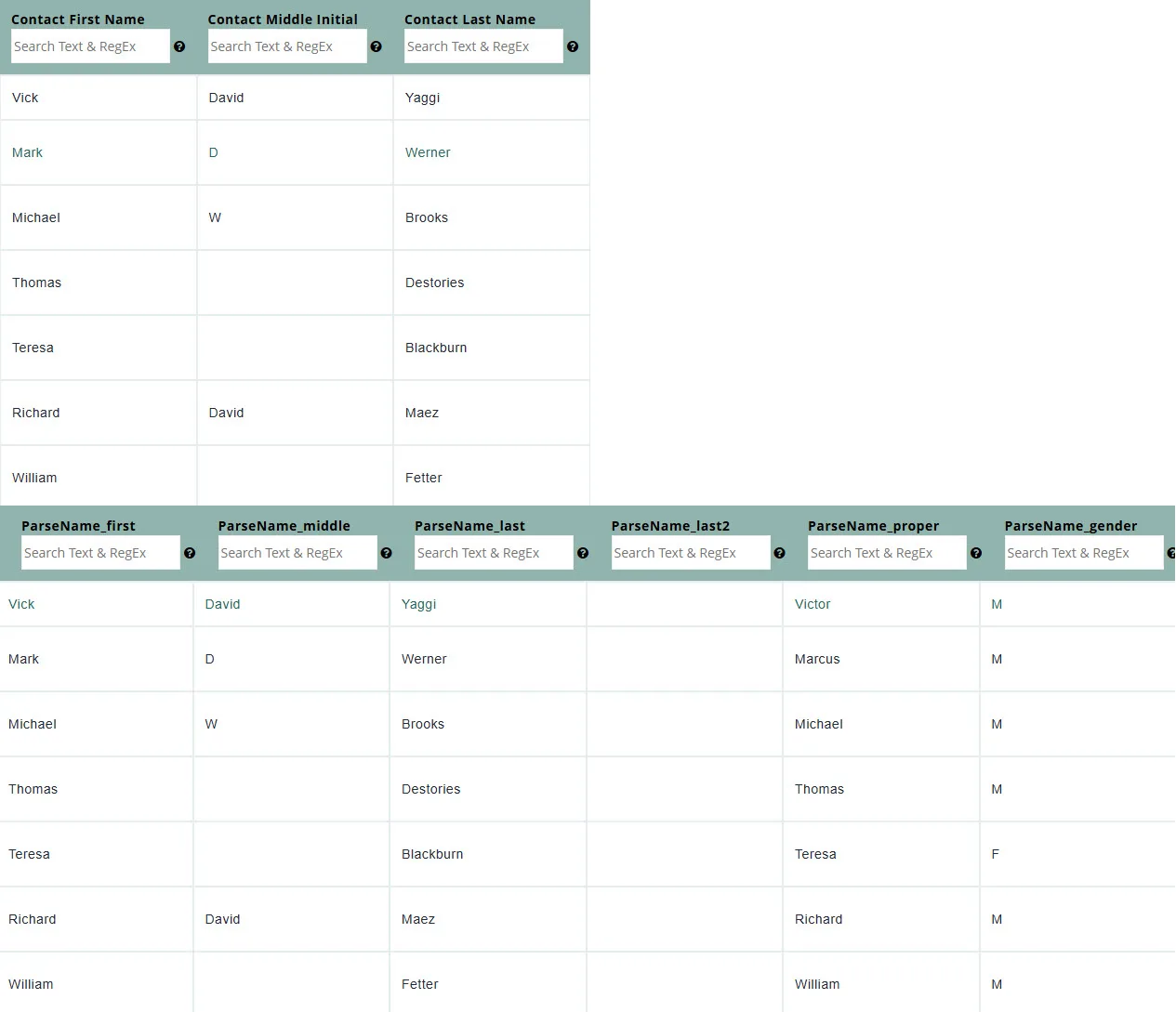
The parser understands titles (Dr, Mr, Ms), suffixes (Jr, Sr, III, PhD, Esq), hyphenated and multi-word last names, and names written “Last, First”. It also looks each first name up in a built-in nickname list: “Bill” produces the proper name “William”, and the lookup supplies a likely gender.
With the prefix ParseName, the new columns are:
| Column | Contents |
|---|---|
| ParseName_title | Dr, Mr, Ms, and similar |
| ParseName_first | First name |
| ParseName_middle | Middle name or initial |
| ParseName_last | Apellido |
| ParseName_last2 | Second last name, for double or compound surnames |
| ParseName_suffix | Jr, Sr, II, III, PhD, Esq, and similar |
| ParseName_proper | The formal first name from the nickname lookup, e.g. William for Bill, Victor for Vick; the first name itself when there is no nickname match |
| ParseName_gender | M or F from the nickname lookup, blank when unknown |
Columns that would be empty for every record are not added.
Addresses from anywhere in the world can be parsed into their components. Street-type, direction, and state standardization follow US and Canadian postal conventions.
No. They add new prefixed columns and leave the originals in place.
The record is kept and the parsed columns are left blank for it.
Yes. The comma form is recognized and the parts are placed in the right columns.
Match Data Pro includes a built-in nickname dictionary that maps common nicknames to proper names and a likely gender.
Para comenzar, haga clic en el botón Nuevo proyecto desde el panel de control.
En Match Data Pro, nuestro enfoque principal es la coincidencia de datos difusos y la resolución de entidades, pero nuestra plataforma va mucho más allá de eso.
Copyright 2026 Match Data Pro. All Rights Reserved
