

A matching rule scoring algorithm determines whether two data records represent the same real-world entity by computing a numerical similarity score across one or more fields and comparing that score against a defined threshold. The algorithm can be deterministic (rule-driven, binary outcome), probabilistic (weighted statistical likelihood), or a hybrid — and the design of your scoring rules directly governs your match precision, recall, and false-positive rate.
For data engineers building deduplication pipelines, CRM consolidation jobs, or entity resolution workflows, understanding how scoring rules are structured — and how to tune them — is the difference between a pipeline that ships accurate golden records and one that silently introduces errors at scale. This guide covers every layer: rule types, scoring methods, field weighting, threshold zones, and worked examples from real data quality workflows.
What Is a Matching Rule Scoring Algorithm?
At its core, a matching rule scoring algorithm answers a single question: how similar are these two records? It does this by breaking the comparison into field-level checks, computing a similarity value for each field (e.g., exact match, edit distance, phonetic similarity), applying weights to reflect each field’s discriminating power, and aggregating those weighted values into a composite score.
That composite score is then evaluated against one or more threshold values. Records that score above the upper threshold are auto-matched. Records that fall below the lower threshold are auto-rejected. Records in between are routed to a human review queue or a secondary automated pass.
The Three Core Scoring Approaches
- Deterministic scoring: A series of rules — think nested if-statements — that produce a binary match/no-match result. Each rule specifies exact field conditions that must be met. Fast and interpretable, but brittle: a single character difference can cause a miss.
- Probabilistic scoring: Assigns a statistical weight to each field comparison based on how often two records agree (or disagree) by chance. Combines weights into a log-likelihood score. Handles missing values and typos gracefully but requires training data or calibration. IBM’s InfoSphere MDM documentation describes how probabilistic matching “measures the statistical likelihood that two records are the same” by rating field-level similarity into a composite score.
- Hybrid scoring: Uses deterministic rules for high-confidence fields (e.g., exact email match) and probabilistic or fuzzy scoring for lower-confidence fields (e.g., name, address). This is the approach used in production-grade platforms including Senzing entity resolution and Match Data Pro’s configurable fuzzy matching engine.
How Field-Level Scoring Rules Are Structured
Every matching rule scoring algorithm begins at the field level. Before any composite score is computed, each pair of field values must be compared and assigned a field similarity score — typically a value between 0.0 and 1.0.
Common Field-Level Similarity Functions
| Field Type | Recommended Algorithm | Score Range | Ejemplo |
|---|---|---|---|
| Name (person) | Jaro-Winkler | 0.0 – 1.0 | “Jon Smith” vs “John Smith” → 0.97 |
| Name (company) | Token Sort Ratio + Abbreviation lookup | 0.0 – 1.0 | “IBM Corp” vs “International Business Machines” → 0.84 |
| DIRECCIÓN | CASS normalisation + Levenshtein | 0.0 – 1.0 | “123 Main St Ste 4” vs “123 Main Street #4” → 0.91 |
| Correo electrónico | Exact match (binary) | 0 or 1 | “j.smith@acme.com” vs “j.smith@acme.com” → 1.0 |
| Phone | Digit-only normalisation + exact | 0 or 1 | “+1 (555) 123-4567” vs “5551234567” → 1.0 |
| Date of Birth | Exact with transposition check | 0, 0.5, or 1 | “1985-04-12” vs “1985-12-04” → 0.5 (possible transposition) |
Worked Example: CRM Customer Deduplication
Consider two customer records from a CRM consolidation project where a marketing database is being merged with a sales database:
Record A: Name="Jonathan R. Smith", Email="jr.smith@acme.com", Phone="555-123-4567", City="Chicago"
Record B: Name="Jon Smith",         Email="jr.smith@acme.com", Phone="(555) 123-4567", City="Chicago"
Field-level scores:
- Name: Jaro-Winkler(“Jonathan R. Smith”, “Jon Smith”) = 0.88
- Email: Exact match = 1.0
- Phone: Normalised exact match = 1.0
- City: Exact match = 1.0
Before we can aggregate these into a composite score, we need to apply field weights.
Field Weighting: Assigning Discriminating Power
Not all fields carry equal evidential weight. An email address is globally unique; a first name is not. Weighting reflects this: fields that are highly discriminating (rare and specific) receive higher weights, while fields that are common or frequently missing receive lower weights.
Weight Assignment Strategies
- Expert-defined weights: A data steward assigns weights based on domain knowledge. Fast to configure; may not reflect the actual data distribution in your specific dataset.
- Frequency-based (m/u probability): The Fellegi-Sunter statistical model computes m-probability (probability two matched records agree on a field) and u-probability (probability two unmatched records agree by chance). The log-likelihood ratio of m/u becomes the field weight. A field like email has a very low u-probability (random agreement is rare) → high weight. A field like city has a higher u-probability (random agreement is common) → lower weight.
- ML-derived weights: A supervised or semi-supervised model learns weights from labelled match/non-match pairs. Requires training data but adapts automatically to data quirks.
Composite Score Calculation
Using expert-defined weights for the CRM example above:
| Field | Field Score | Weight | Weighted Score |
|---|---|---|---|
| Nombre | 0.88 | 0.20 | 0.176 |
| Correo electrónico | 1.00 | 0.40 | 0.400 |
| Phone | 1.00 | 0.30 | 0.300 |
| Ciudad | 1.00 | 0.10 | 0.100 |
| Composite | 1.00 | 0.976 |
A composite score of 0.976 against an auto-match threshold of 0.90 → automatic match confirmed. These two records represent the same person and will be merged into a single golden record.
Threshold Zones: How Scores Become Decisions
The threshold configuration is where scoring theory meets operational reality. Most production pipelines operate with three zones:
Zone 1: Auto-Match (Score ≥ Upper Threshold)
Records with composite scores at or above the upper threshold (e.g., ≥ 0.90) are automatically linked or merged. No human review required. The threshold must be set high enough that false positives — incorrectly merged records — are negligibly rare. In customer MDM, a false positive (merging two different people) is typically more costly than a false negative (missing a match), so upper thresholds are often conservative.
Zone 2: Review Queue (Lower ≤ Score < Upper Threshold)
Records scoring between thresholds (e.g., 0.70–0.89) enter a human review queue or a secondary automated decision layer. These are the records where a name typo, a missing phone number, or a moved address creates genuine ambiguity. Match Data Pro’s interface surfaces these as candidate pairs with field-level colour highlighting so a data steward can confirm or reject with a single click.
Zone 3: Auto-Reject (Score < Lower Threshold)
Records scoring below the lower threshold (e.g., < 0.70) are treated as distinct entities and not linked. The pipeline logs the pair and moves on. These threshold values are not universal — they must be tuned to your specific data, domain, and tolerance for false positives vs false negatives.
First Matching Condition Scoring Rules: How Revenue Range Rules Work
First matching condition scoring rules are a specific pattern within rule-based scoring systems where rules are evaluated in priority order and the first rule whose conditions are satisfied fires — returning its score without evaluating the remaining rules. This approach is widely used for mapping revenue bands to numeric scores in lead scoring and account prioritisation models.
For example, a first matching condition scoring configuration for revenue ranges might assign: $0–1M = 10 points, $1M–5M = 20 points, $5M–10M = 30 points, $10M–50M = 40 points, $50M–200M = 50 points, $200M+ = 60 points. The engine evaluates each band in order and stops at the first match. To implement scoring rules for revenue ranges correctly: (1) sort bands from most restrictive to broadest, (2) ensure no gaps or overlaps between bands, (3) treat null or unparseable revenue values as a default score rather than an error, and (4) log which rule fired for auditability.
First-Match vs Best-Match Rule Execution
A critical design decision in rule-based scoring systems is the execution order of rules. Two strategies dominate:
- First-match (waterfall) scoring: Rules are evaluated in priority order. The first rule whose conditions are fully met fires and returns its score. Subsequent rules are not evaluated. This is fast and deterministic — ideal when you have a high-confidence rule (e.g., exact email + exact phone) that, if satisfied, makes all other rules redundant. The risk: rules must be carefully ordered so high-precision rules appear first.
- Best-match (exhaustive) scoring: All rules are evaluated and the highest-scoring result is returned. Slower, but catches cases where no single rule achieves high confidence independently. Better for noisy data where matches emerge from a combination of partial signals.
- Additive scoring: Every matching rule that fires adds its score to a running total. Used in probabilistic systems where each piece of evidence independently contributes to overall match confidence.
Configuring Rule Scoring in a Real Pipeline: Step-by-Step
Here is a practical walkthrough of how a data engineering team would configure a matching rule scoring algorithm for a B2B company master — merging accounts from a CRM, an ERP, and a marketing automation platform.
Paso 1: Perfile primero sus datos
Before writing a single rule, run data profiling to understand field completeness, value distributions, and format inconsistencies. You cannot assign sensible weights without knowing that, for example, the “phone” field is only populated in 40% of records — which means it cannot be treated as a high-weight anchor field.
Step 2: Standardise Before Scoring
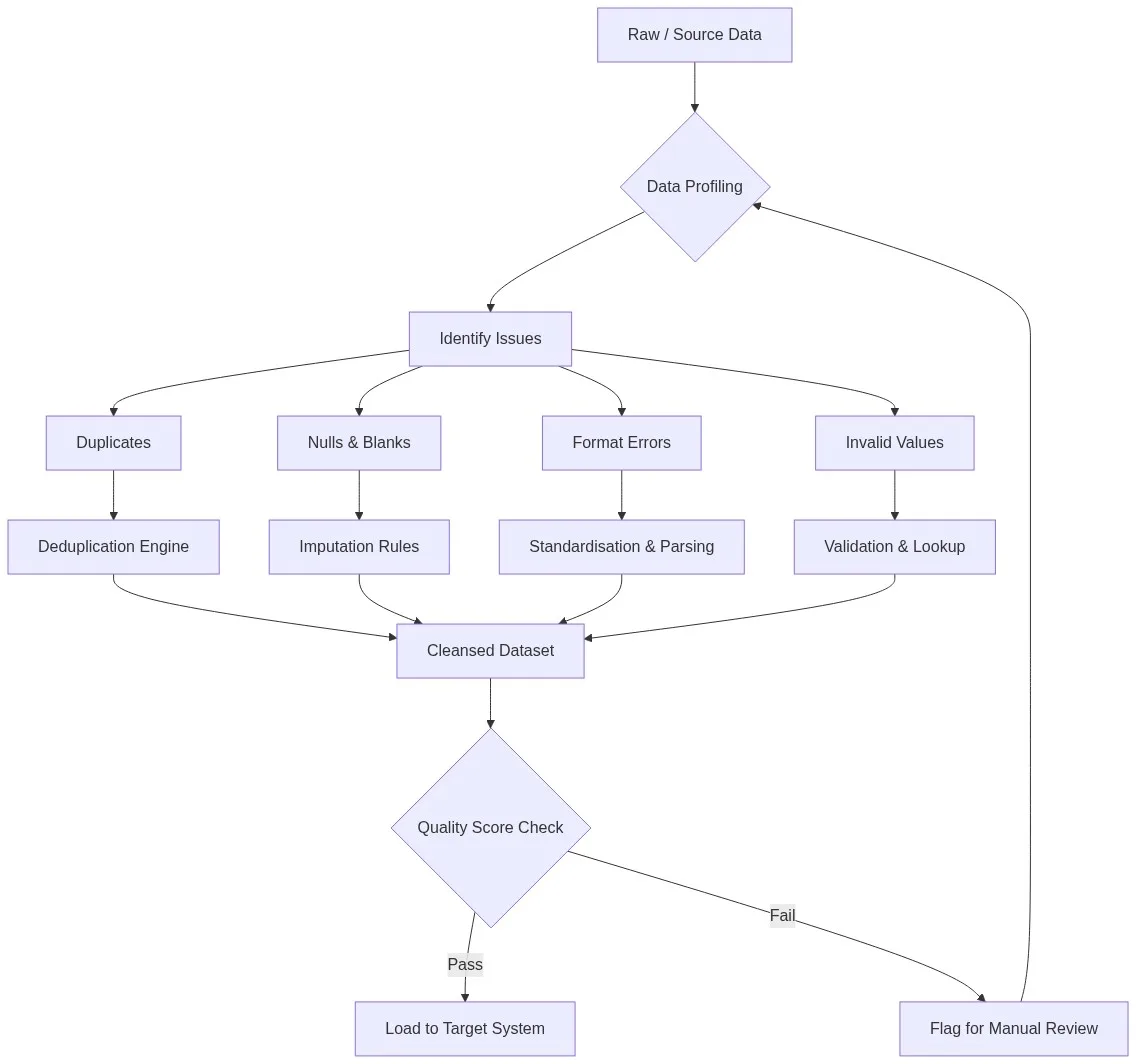
Normalise all fields before field-level comparison. Phone numbers should be stripped to digits only. Company names should be lowercased and common suffixes (LLC, Inc., Ltd) removed or standardised. Addresses should be CASS-certified to a standard format. Scoring dirty raw values inflates false negatives. Match Data Pro’s data cleansing pipeline handles pre-match standardisation automatically as a pre-processing stage.
Step 3: Define Your Rule Set
For a B2B account master, a typical rule set might look like this:
- Rule 1 (Priority 1 — High confidence): Exact domain match + Company name Jaro-Winkler ≥ 0.85 → Auto-match
- Rule 2 (Priority 2 — Medium confidence): Company name token sort ≥ 0.80 + City exact match + State exact match → Review queue
- Rule 3 (Priority 3 — Supporting evidence): Phone exact match alone → Review queue (not auto-match; a phone can be shared across companies)
- Rule 4 (Blocking rule): If Country codes differ → hard reject regardless of name similarity
Step 4: Tune Thresholds Against Labelled Sample Data
Run your initial rule set against a sample of 500–1,000 manually labelled record pairs. Measure precision and recall at different threshold values. Plot a precision-recall curve. The optimal threshold sits at the point where the cost of a false positive equals the cost of a false negative — and that cost trade-off is a business decision, not a technical one.
Step 5: Automate, Monitor, and Iterate
Deploy the rule scoring job as a scheduled pipeline. Track the volume of records landing in each threshold zone over time. A sudden spike in the review queue often signals a new data source with different formatting conventions — which means your standardisation rules need updating, not your scoring thresholds. Match Data Pro’s job automation layer lets you schedule, monitor, and alert on these metrics without custom scripting.
Common Mistakes in Matching Rule Scoring and How to Fix Them
- Scoring raw unstandardised data: A phone number stored as “(555) 123-4567” will never exactly match “5551234567”. Always normalise first.
- Equal weighting across all fields: Treating name, city, and email as equally important inflates scores for geographically clustered records. Weight discriminating fields (email, tax ID, domain) heavily.
- No blocking step before scoring: Scoring all pairs in a large dataset (N² comparisons) is computationally prohibitive. Use a blocking strategy — e.g., compare only records that share the same first three characters of company name or the same ZIP code — to reduce candidate pairs to a manageable set before scoring.
- Setting thresholds without data: Never guess thresholds. Always measure precision and recall on a representative labelled sample before committing to production values.
- Ignoring field-level null handling: A null email should not score 0.0 against a non-null email. It should contribute 0 weight to the composite rather than penalising the pair. Build null-aware scoring logic into your rules from the start.
Frequently Asked Questions
What is the difference between a deterministic and probabilistic matching rule scoring algorithm?
A deterministic algorithm applies a fixed set of logical rules (if field A matches exactly AND field B matches, then match = true) and returns a binary result. A probabilistic algorithm computes a weighted statistical score across multiple fields, handling partial agreement and missing values. Deterministic matching is fast and interpretable; probabilistic matching is more flexible for noisy or incomplete data. Most enterprise data platforms use a hybrid of both.
What is “first-match” rule scoring?
First-match (also called waterfall) rule scoring evaluates rules in priority order and returns a result as soon as the first rule whose conditions are fully satisfied fires. Rules below the triggered rule are not evaluated. This is efficient and predictable but requires careful rule ordering: high-precision, high-confidence rules must appear first to prevent lower-quality rules from returning premature matches.
How do I implement first matching condition scoring rules for revenue ranges?
To implement first matching condition scoring rules for revenue ranges: define each revenue band as a rule with a lower and upper bound, assign a numeric score to each band, order rules from the most specific (narrowest band) to the broadest, evaluate records top-down and return the score from the first matching band. Match Data Pro’s rule configuration interface lets you define revenue band scoring tables without custom code — configuring the bands, scores, and null-handling behaviour through a point-and-click interface.
How do I set the right match score threshold?
Thresholds should be determined empirically, not guessed. Label a representative sample of 500–1,000 record pairs as match/non-match. Run your scoring algorithm over those pairs and measure precision and recall at different threshold values. Plot a precision-recall curve and select the threshold that best balances your business’s tolerance for false positives (incorrectly merged records) versus false negatives (missed matches).
How does field weighting affect matching accuracy?
Field weights determine how much each field contributes to the composite score. A poorly weighted algorithm — where all fields are treated equally — can produce incorrect matches by over-relying on high-frequency, low-discriminating fields like city or state. Correctly weighted algorithms assign high weight to globally unique fields (email address, tax ID, domain) and lower weight to frequently duplicated fields (first name, ZIP code).
Can matching rule scoring algorithms handle missing fields?
Yes, but only if your implementation is null-aware. A properly designed scoring algorithm treats a null field as contributing zero weight to the composite score, rather than penalising the pair with a field score of 0. The composite score is then re-normalised across the fields that are actually present. Platforms like Match Data Pro handle null weighting automatically within their rule configuration interface.
Start Building Accurate Matching Pipelines Today
Matching rule scoring algorithms are the engine of every deduplication, entity resolution, and master data management workflow. Getting the rule structure, field weights, similarity functions, and threshold zones right is what separates a 60% accurate match job from a 99% accurate one.
Match Data Pro gives data engineers a configurable rule scoring interface — no custom code required — with support for deterministic, fuzzy, probabilistic, and hybrid scoring modes, field-level weight tuning, three-zone threshold configuration, and Senzing-powered entity resolution for the most complex identity matching use cases.
For a deeper look at how fuzzy similarity scores are computed at the field level, see our guide: What Is Fuzzy Matching? Algorithms, Examples & Thresholds. To see how matching fits into a broader data quality workflow, explore: What Is Data Matching? A Complete Guide with Real Examples.
👉 Start your free trial — no contract, no commitment.
Questions about rule configuration for your specific use case? Email our team at sales@matchdatapro.com or book a demo.